

Instagram Overlay Mini - 2A
Instagram Overlay Mini - 2A
Description
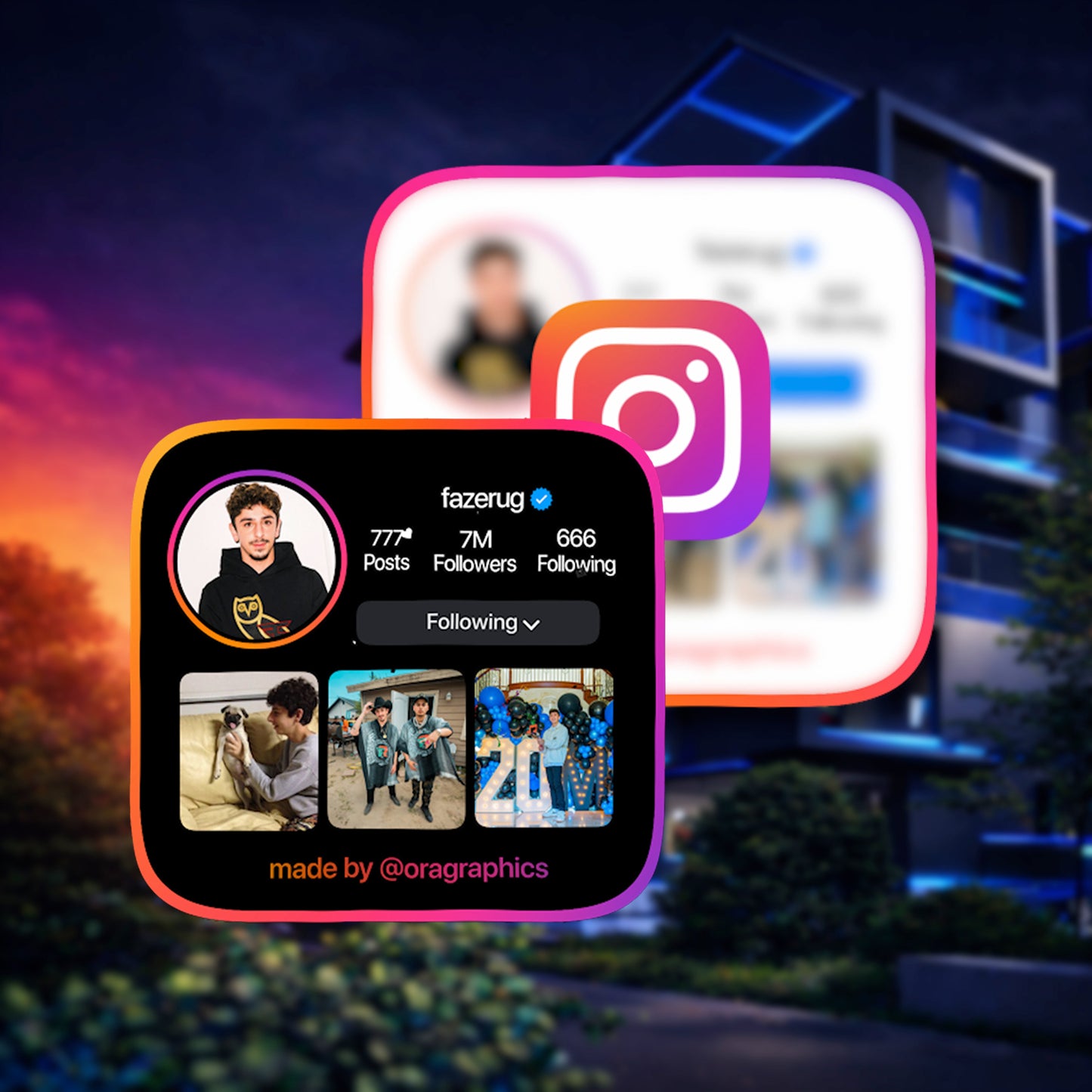
The Instagram Overlay Mini - 2A is the advanced Version 3 Mini overlay from OraGraphics — built for creators who want a stronger Instagram callout with more visual depth than the Micro overlays, while still keeping the design compact and easy to place inside regular videos.
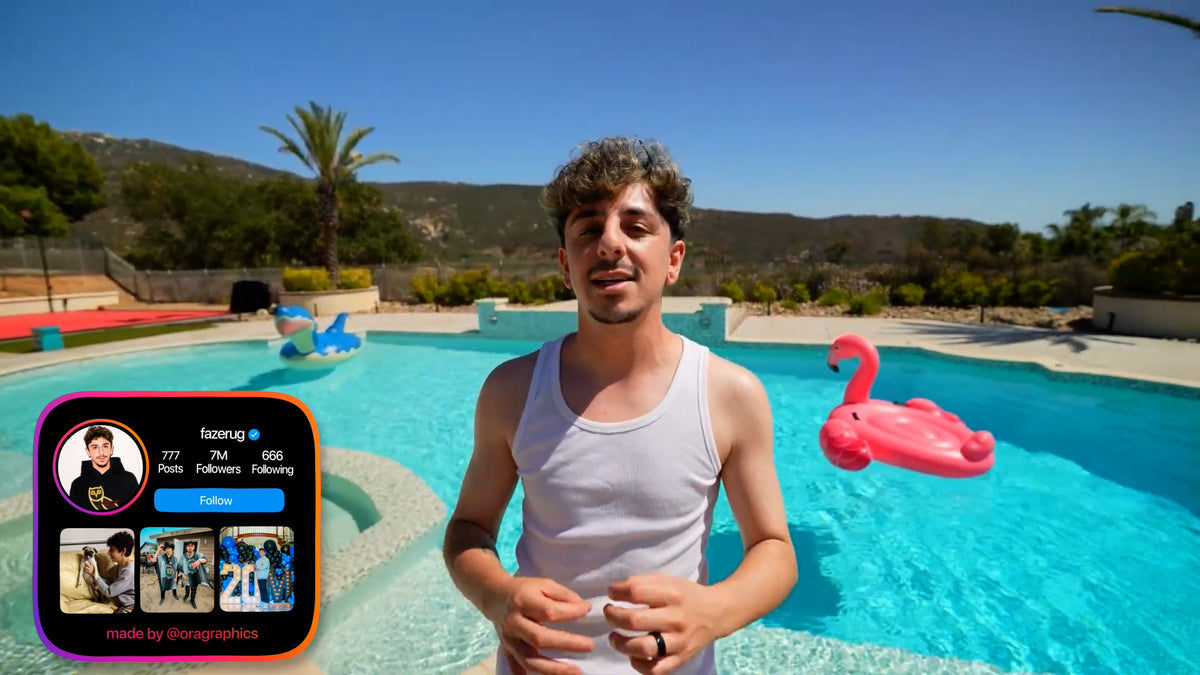
This overlay displays your profile picture, Instagram username, follower count, following count, and 3 custom images or videos inside a polished Instagram-inspired layout. It gives viewers a quick snapshot of your profile and your content without taking over the entire screen.
Compared to the simpler Instagram Mini - 2B, the 2A version includes more advanced graphics, more expressive animation, a modern Instagram logo animation, and immersive sound design for a more high-end social-media feel.
The Mini - 2A is perfect for creators who want their Instagram promotion to feel more eye-catching than a basic username popup, but not as large as the Instagram Large or Ultra overlays.
It comes in both Light Mode and Dark Mode, allowing the overlay to match bright, clean, cinematic, dark, or moody content styles.
What You'll Get
A personalized Instagram Mini overlay delivered in the format that fits how you edit:
🎬 Your Custom Instagram Mini 2A Overlay Files- 👤 Fully personalized with your chosen Instagram profile picture and Instagram username
- 📊 Includes your follower count and following count
- 🖼️ Includes 3 custom photos or videos displayed inside the Mini media preview layout
- 🌗 Delivered in both Light Mode and Dark Mode
- 📺 Delivered in both 1080p and 4K resolution
- 🎞️ If you edit with desktop software like Adobe Premiere Pro, DaVinci Resolve, Final Cut Pro, After Effects, or CapCut Desktop, you’ll receive a transparent .mov Apple ProRes 4444 file that drops directly onto your timeline
- 🟢 If you edit with mobile software or an editor that does not support transparent video, like CapCut Mobile, iMovie, VN, InShot, or similar apps, you’ll receive an MP4 green screen version that can be removed with chroma key
- 🔊 Includes immersive sound design for a more engaging Instagram-style animation
- ✨ Advanced Version 3 Mini layout with polished graphics, smooth motion, and Instagram logo animation
- ⏱️ Delivered in less than 24 hours after your order details are submitted
- 🛠️ Made custom based on the Instagram profile information and 3 media files you provide at checkout
- 🎥 After purchase, your download page includes a tutorial video button showing how to use your overlay
- 📄 You’ll also get access to a PDF guide with visual instructions for placing and using the overlay
- ✅ The guide covers both transparent .mov drag-and-drop and MP4 green screen chroma key workflows
Who Is This For?
This overlay is made for:
- 📸 Instagram creators who want a clean but more eye-catching way to promote their profile
- 🎬 YouTubers, TikTokers, and Reels creators who want to drive viewers to Instagram
- 📹 Vloggers and lifestyle creators who want a visual Instagram callout that still feels compact
- 😂 Reaction, commentary, and entertainment creators who want a quick branded follow-me moment
- 💼 Brands, influencers, photographers, videographers, and small businesses who want to showcase their Instagram presence
- 🎨 Creators with strong visual content who want 3 selected images/videos shown inside the overlay
- 💻 Desktop and mobile editors who need flexible file formats for different editing apps
- 📱 Reels, Shorts, TikToks, and YouTube videos
- 🎥 Vlogs, lifestyle edits, daily-life content, and behind-the-scenes videos
- 🎮 Gaming videos, reactions, commentary, and entertainment edits
- 📣 Follow-me callouts, channel intros, social media promos, and brand announcements
- 🖼️ Creators who want to show 3 pieces of media without using a larger profile overlay
- ✨ Anyone who wants something more detailed than Micro, but smaller than Instagram Large
Compatibility
This overlay supports both desktop and mobile editing workflows. The file format you use depends on whether your editor supports transparent video.
🎬 Transparent .mov Apple ProRes 4444Best for desktop editors that support transparent video:
- ✅ Adobe Premiere Pro (Desktop)
- ✅ DaVinci Resolve (Desktop)
- ✅ Final Cut Pro (Desktop)
- ✅ After Effects (Desktop)
- ✅ CapCut for Desktop
- ✅ Other editors that support transparent .mov files
Best for mobile editors or apps that need chroma key / green screen removal:
- ✅ iMovie (iPhone, iPad, Mac)
- ✅ CapCut Mobile (iPhone & Android)
- ✅ VN (iPhone & Android)
- ✅ InShot and other mobile editors with chroma key support
- ✅ Any editing software that supports green screen / chroma key removal
For the cleanest workflow, use the transparent .mov Apple ProRes 4444 file in a desktop editor. If your app does not support transparent video, use the MP4 green screen version and remove the green background with chroma key.
How Does It Work?
After ordering, your overlay is customized around your Instagram profile details and delivered in the format that fits your editing workflow.
- 🎨 Customize your overlay before checkout — upload your Instagram profile picture and enter your Instagram username, follower count, and following count.
- 🖼️ Submit your media — provide the 3 photos or videos you want displayed inside the Mini media preview layout.
- 🌗 Choose your style — select Light Mode or Dark Mode so the overlay matches your content.
- ⚡ Wait for delivery — your custom overlay is created and delivered in less than 24 hours.
- 📥 Download your files — your download page gives you access to your overlay files, tutorial video button, and visual PDF guide.
- 🎬 Add it to your video — if you use the transparent .mov Apple ProRes 4444 file, drag it directly onto your timeline. If you use the MP4 green screen version, import it and remove the green background with chroma key.
- 📍 Position and time it — place the overlay where you want it and time it to your Instagram follow callout moment.
- ✅ Export and post — your video is ready with a custom Instagram Mini overlay that shows your profile and 3 selected media previews.