

Snapchat Overlay Mini
Snapchat Overlay Mini
Description
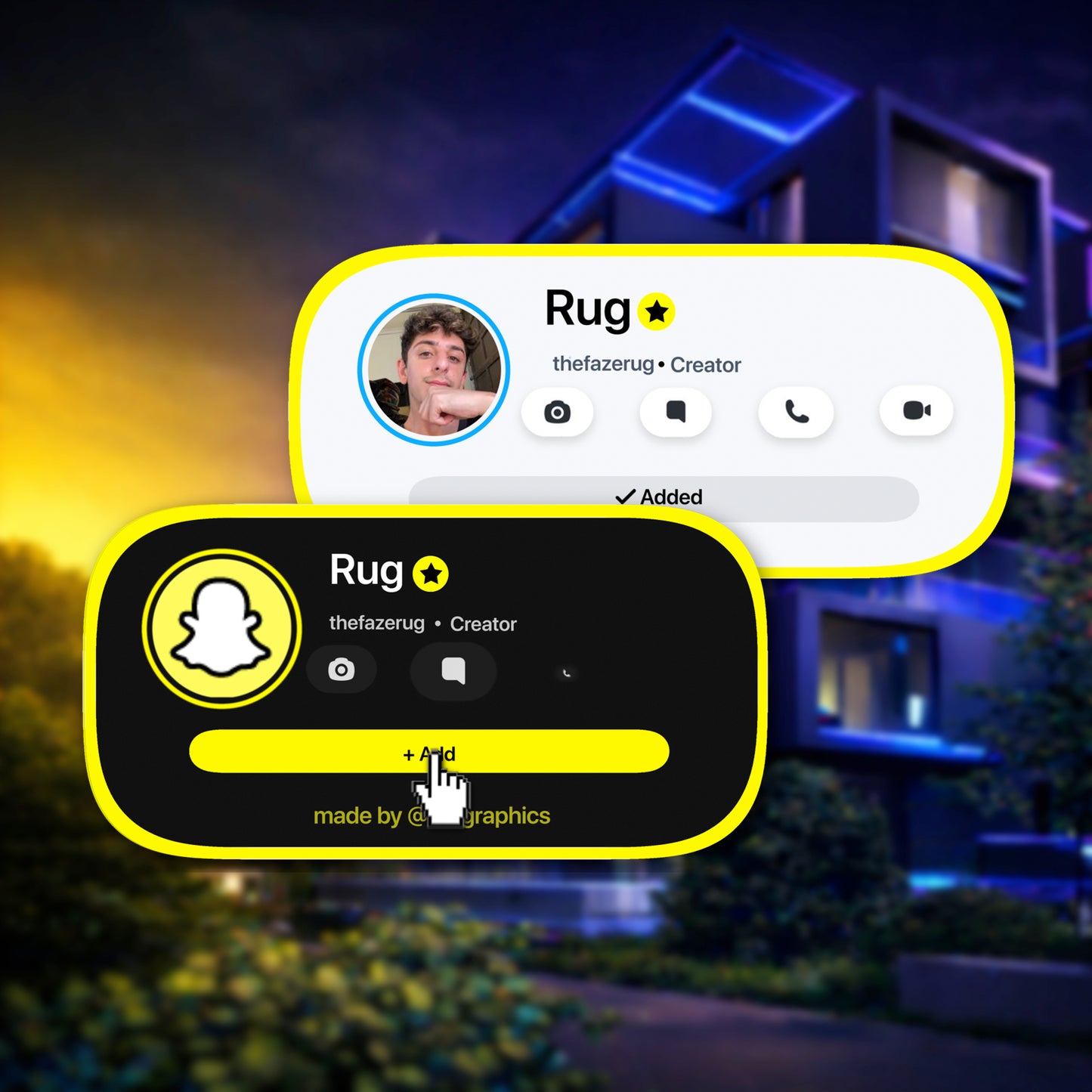
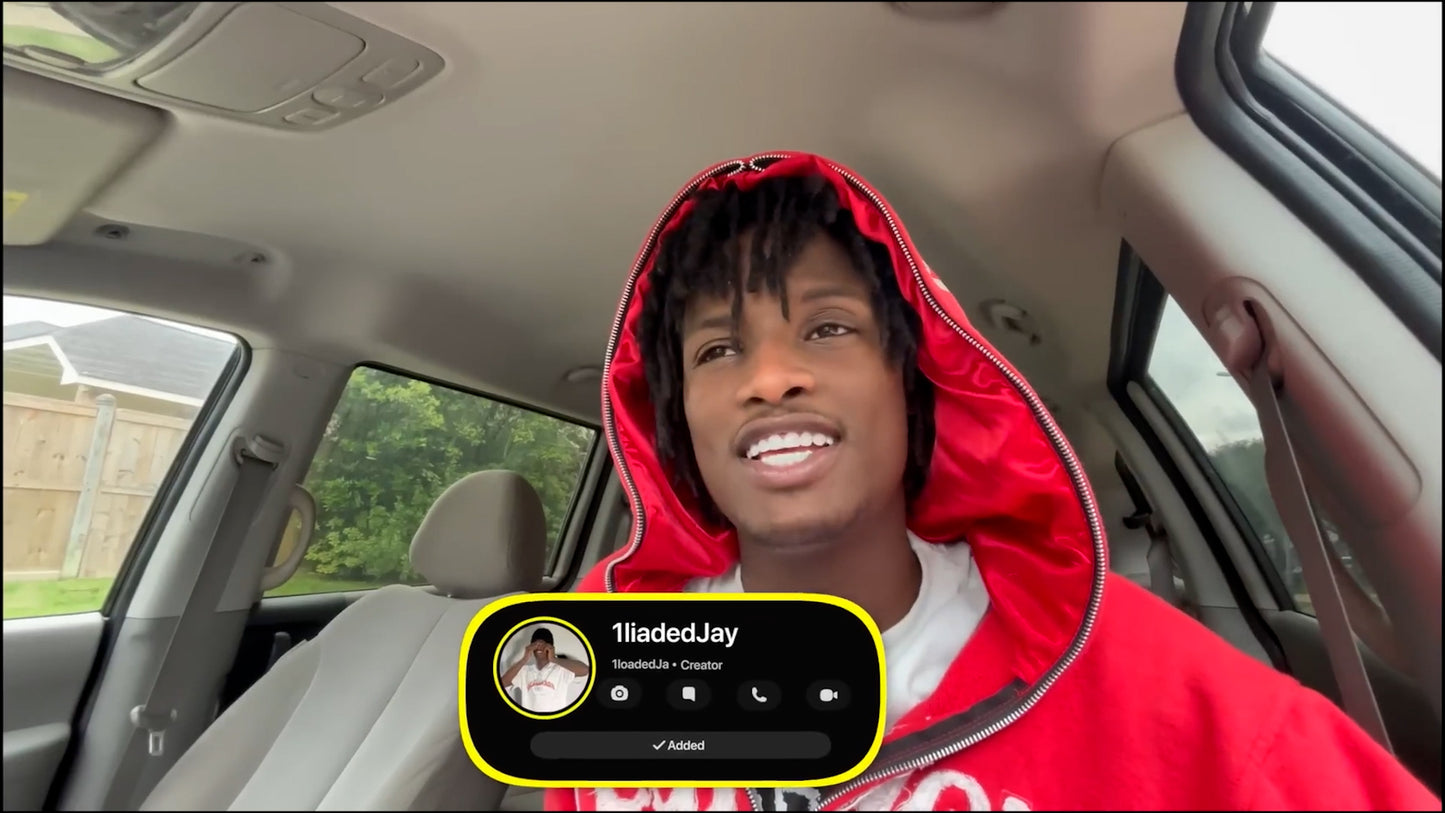
The Snapchat Overlay Mini is a custom Snapchat-style profile overlay designed to bring an authentic Snapchat feel into your videos without taking over the entire screen.
Built to look like a real Snapchat interface, this overlay displays your profile picture, Snapchat username, and main display name in a clean social notification-style layout that feels familiar, modern, and instantly recognizable.
It is made for creators who want their Snapchat promotion to feel more natural than a plain text callout. Instead of just typing your Snap username on screen, this overlay gives your audience a polished visual cue that feels like it belongs inside the content.
The overlay comes in both Light Mode and Dark Mode, with immersive sound included to make the animation feel more engaging, realistic, and alive.
What You'll Get
A personalized Snapchat overlay delivered in the format that fits how you edit:
📁 Your Custom Snapchat Overlay Files- 👤 Fully personalized with your chosen Snapchat profile picture, Snapchat username, and main display name
- 🌗 Delivered in both Light Mode and Dark Mode
- 📐 Delivered in both 1080p and 4K resolution
- 🖥️ For desktop editors (Premiere Pro, DaVinci Resolve, Final Cut Pro, After Effects, CapCut Desktop) — a transparent .mov Apple ProRes 4444 file that drops directly onto your timeline
- 📱 For mobile editors (CapCut Mobile, iMovie, VN, InShot) — an MP4 green screen version removable with chroma key
- 🔊 Immersive sound design for a more realistic Snapchat-style feel
- ✨ Clean mini layout designed to feel recognizable without blocking your video
- ⏱️ Delivered in less than 24 hours after your order details are submitted
- 🎨 Made custom based on the Snapchat profile information you provide at checkout
- 📹 After purchase, your download page includes a tutorial video showing how to use your overlay
- 📄 Access to a PDF guide with visual step-by-step instructions for placing and using the overlay
- ✅ Covers both transparent .mov drag-and-drop and MP4 green screen chroma key workflows
Who Is This For?
This overlay is made for:
- 👻 Snapchat creators who want to promote their Snap in a cleaner, more visual way
- 🎬 YouTubers, TikTokers, and Reels creators who want to send viewers to Snapchat
- 📹 Vloggers and lifestyle creators who want their Snap callout to feel natural inside the video
- 💬 Reaction, commentary, and entertainment creators who want a quick branded social pop-up
- 💼 Brands, influencers, and small businesses using Snapchat as part of their audience-building workflow
- 🖥️ Desktop and mobile editors who need flexible file formats for different editing apps
- 📱 Reels, Shorts, TikToks, and YouTube videos
- 🎥 Vlogs, daily-life edits, behind-the-scenes videos, and lifestyle content
- 🎮 Gaming videos, reactions, commentary, and entertainment edits
- 📣 Social media promos, announcements, and follow-me callouts
- ✨ Creators who want a Snapchat overlay that feels more polished than plain text on screen
Compatibility
This overlay supports both desktop and mobile editing workflows. The file format you use depends on whether your editor supports transparent video:
🖥️ Transparent .mov — Apple ProRes 4444Best for desktop editors that support transparent video:
- ✅ Adobe Premiere Pro
- ✅ DaVinci Resolve
- ✅ Final Cut Pro
- ✅ After Effects
- ✅ CapCut for Desktop
- ✅ Any other desktop editor that supports transparent .mov files
Best for mobile editors or apps that need chroma key / green screen removal:
- ✅ iMovie (iPhone, iPad, Mac)
- ✅ CapCut Mobile (iPhone & Android)
- ✅ VN (iPhone & Android)
- ✅ InShot and other mobile editors with chroma key support
- ✅ Any editing software that supports green screen / chroma key removal
How Does It Work?
After ordering, your overlay is customized around your Snapchat profile details and delivered in the format that fits your editing workflow:
- 🛒 Customize before checkout — upload your Snapchat profile picture and enter your Snapchat username and main display name.
- 🎨 Choose your style — select Light Mode or Dark Mode so the overlay matches your content.
- ⚡ Wait for delivery — your custom overlay is created and delivered in less than 24 hours.
- 📥 Download your files — your download page gives you access to your overlay files, tutorial video, and visual PDF guide.
- ✂️ Add it to your video — drag the transparent .mov directly onto your timeline above your footage, or import the MP4 and remove the green background with chroma key.
- ⏱️ Position and time it — place the overlay where you want it and time it to your Snapchat callout moment.
- ✅ Export and post — your video is ready with a clean, custom Snapchat-style callout.