

YouTube Overlay Large
YouTube Overlay Large
Description
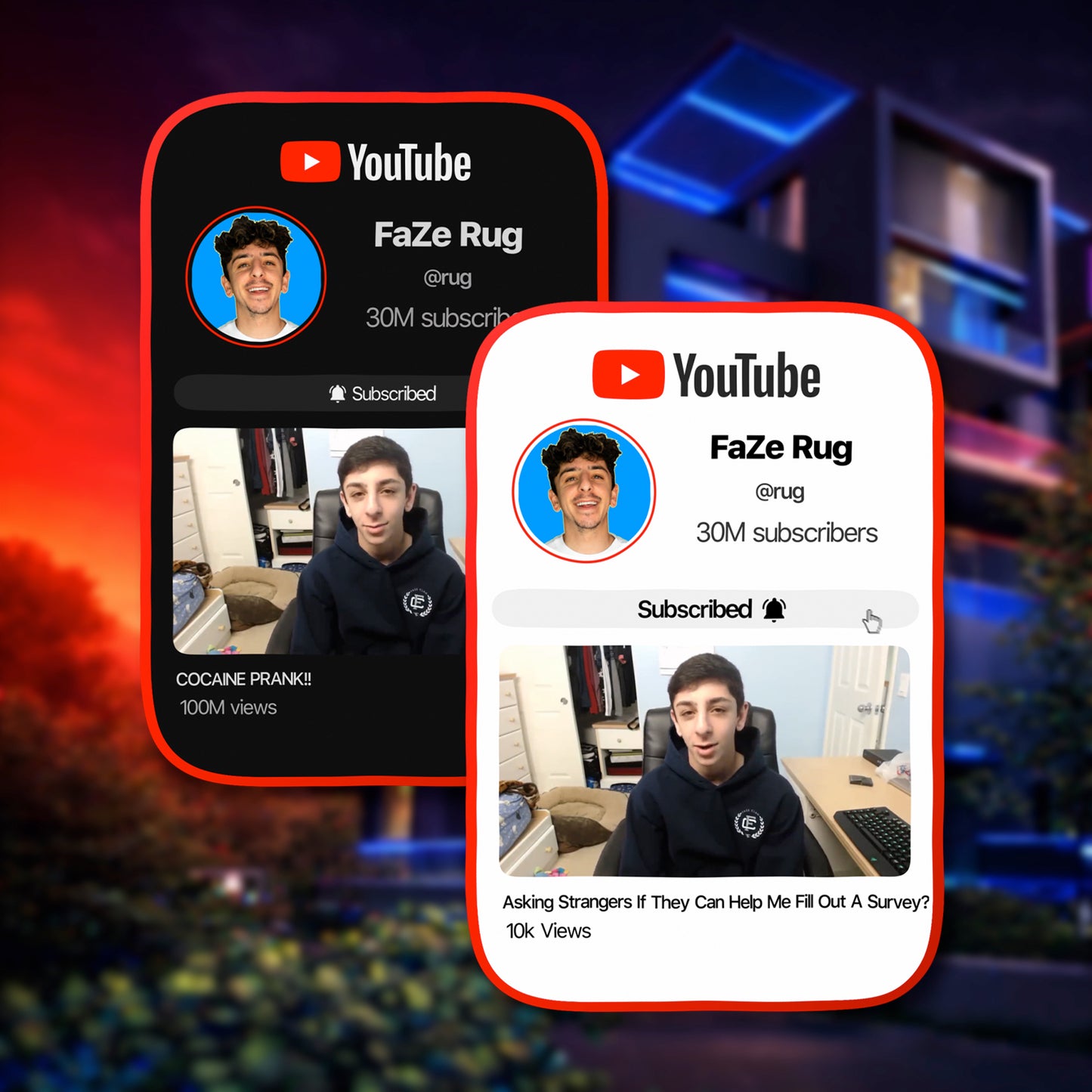
The YouTube Overlay Large is a premium YouTube-style subscribe overlay from OraGraphics — built for creators who want a bigger, more detailed YouTube callout than the Mini version.
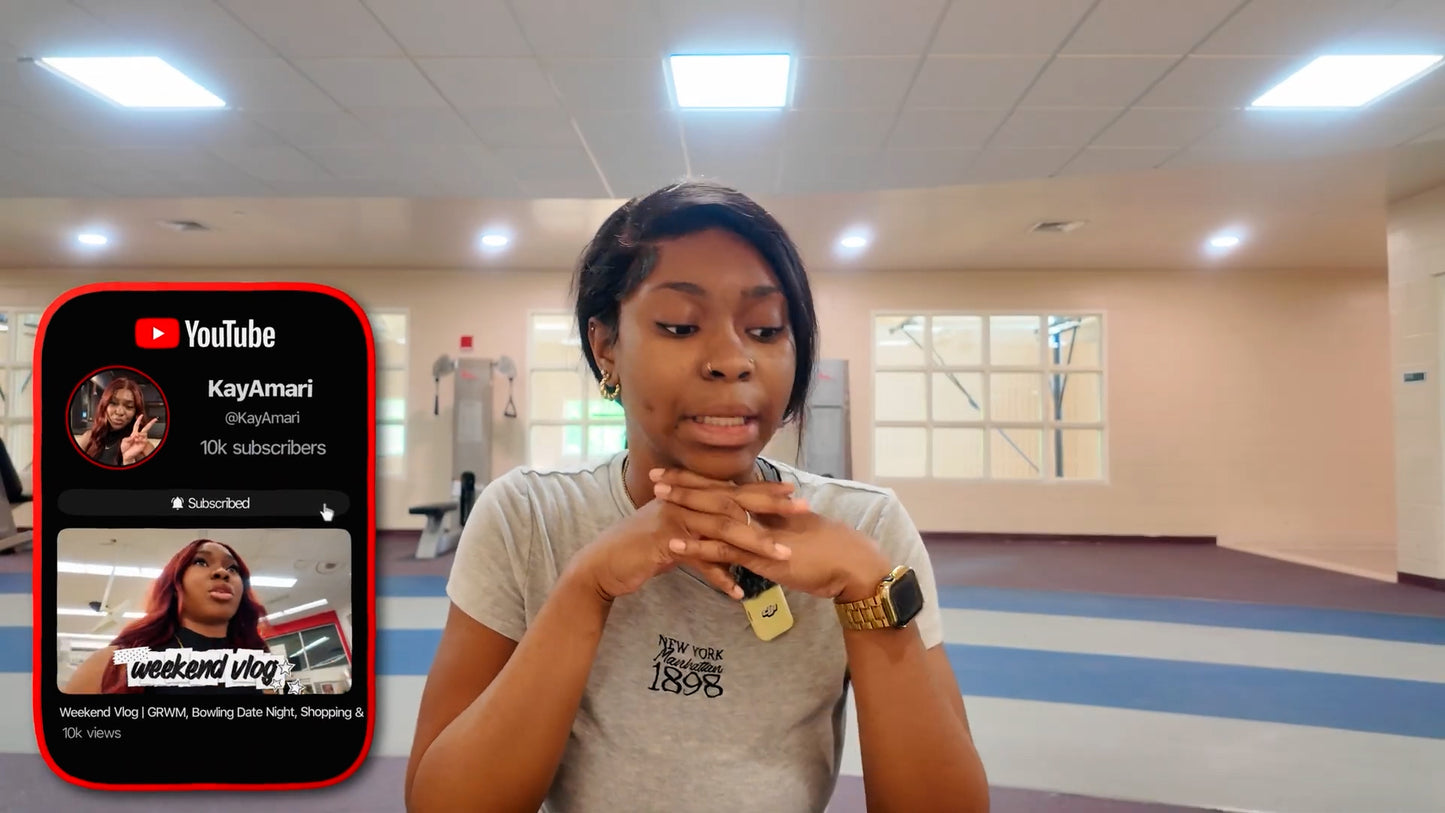
Unlike the YouTube Overlay Mini, which focuses mainly on your profile picture, username, and subscriber count, the YouTube Overlay Large adds a full video trailer preview in the middle. This is the main feature that makes the Large version feel more immersive, visual, and channel-focused.
This overlay displays your profile picture, YouTube username, subscriber count, subscribe button area, and custom YouTube video trailer inside a clean YouTube-inspired layout that feels familiar, modern, and easy for viewers to understand.
The trailer video makes the overlay feel like a mini channel preview instead of just a subscribe reminder. It gives viewers a quick look at your content style, making the callout more engaging and more convincing than a basic pop-up.
It comes in both Light Mode and Dark Mode, with immersive sound design included to make the animation feel polished, smooth, and attention-grabbing.
What You'll Get
A personalized YouTube Large overlay delivered in the format that fits how you edit:
📁 Your Custom YouTube Large Overlay Files- 🖼️ Fully personalized with your chosen YouTube profile picture and YouTube username
- 📊 Includes your subscriber count
- ▶️ Includes a custom YouTube video trailer preview in the middle as the main feature of the Large version
- 🔔 Includes a YouTube-style subscribe button / notification area for a stronger call-to-action
- 🌓 Delivered in both Light Mode and Dark Mode
- 📐 Delivered in both 1080p and 4K resolution
- 🖥️ For desktop editors (Premiere Pro, DaVinci Resolve, Final Cut Pro, After Effects, CapCut Desktop) — a transparent .mov Apple ProRes 4444 file that drops directly onto your timeline
- 📱 For mobile editors (CapCut Mobile, iMovie, VN, InShot) — an MP4 green screen version removable with chroma key
- 🔊 Includes immersive sound design for a more polished YouTube-style animation
- ✨ Larger layout designed to promote your channel and preview your content without going full-screen like YouTube Ultra
- ⏱️ Delivered in less than 24 hours after your order details and trailer video are submitted
- 🎨 Made custom based on the YouTube channel details and trailer video you provide at checkout
- 📹 After purchase, your download page includes a tutorial video showing how to use your overlay
- 📄 Access to a PDF guide with visual step-by-step instructions for placing and using the overlay
- ✅ Covers both transparent .mov drag-and-drop and MP4 green screen chroma key workflows
Who Is This For?
This overlay is made for:
- 📺 YouTubers who want their subscribe reminder to feel bigger, cleaner, and more professional
- ▶️ Creators with strong video content who want to show a trailer clip directly inside the overlay
- 🎥 Vloggers and lifestyle creators who want their channel promotion to feel like a polished preview
- 💬 Reaction, commentary, and entertainment creators who want a stronger subscribe callout moment
- 🎮 Gaming, tech, tutorial, and review channels who want to showcase what viewers can expect from their content
- 💼 Brands, businesses, and channels building a more professional YouTube presence
- 🖥️ Desktop and mobile editors who need flexible file formats for different editing apps
- ✂️ Reels, Shorts, TikToks, and YouTube videos
- 🎬 YouTube intros, outros, channel breaks, and subscribe reminders
- 📣 Channel promos, creator announcements, launches, and content previews
- 🎙️ Podcast clips, stream highlights, interviews, and talking-head content
- ✨ Any creator who wants more impact than YouTube Mini without using a full-screen Ultra animation
Compatibility
This overlay supports both desktop and mobile editing workflows. The file format you use depends on whether your editor supports transparent video:
🖥️ Transparent .mov — Apple ProRes 4444Best for desktop editors that support transparent video:
- ✅ Adobe Premiere Pro
- ✅ DaVinci Resolve
- ✅ Final Cut Pro
- ✅ After Effects
- ✅ CapCut for Desktop
- ✅ Any other desktop editor that supports transparent .mov files
Best for mobile editors or apps that need chroma key / green screen removal:
- ✅ iMovie (iPhone, iPad, Mac)
- ✅ CapCut Mobile (iPhone & Android)
- ✅ VN (iPhone & Android)
- ✅ InShot and other mobile editors with chroma key support
- ✅ Any editing software that supports green screen / chroma key removal
How Does It Work?
After ordering, your overlay is customized around your YouTube channel details and delivered in the format that fits your editing workflow:
- 🛒 Customize before checkout — upload your YouTube profile picture and enter your YouTube username and subscriber count.
- ▶️ Submit your trailer video — provide the video clip you want displayed in the middle of the YouTube Large overlay.
- 🎨 Choose your style — select Light Mode or Dark Mode so the overlay matches your content.
- ⚡ Wait for delivery — your custom overlay is created and delivered in less than 24 hours.
- 📥 Download your files — your download page gives you access to your overlay files, tutorial video, and visual PDF guide.
- ✂️ Add it to your video — drag the transparent .mov directly onto your timeline above your footage, or import the MP4 and remove the green background with chroma key.
- ⏱️ Position and time it — use it during a subscribe moment, channel promo, intro, outro, or anywhere you want to preview your channel.
- ✅ Export and post — your video is ready with a YouTube Large overlay that shows your channel details and trailer video in one clean animated callout.